Mastering the timer on your BuckGuide 300lb Spin-Cast Feeder is the key to consistent, worry-free deer feeding. Many hunters struggle with the remote interface, inadvertently over-feeding or leaving the feeder idle for days. This guide walks through the most common remote programming questions to help you dial in the perfect feed schedule.
How Do I Sync the Remote with the BuckGuide 300lb Spin-Cast Feeder for the First Time?
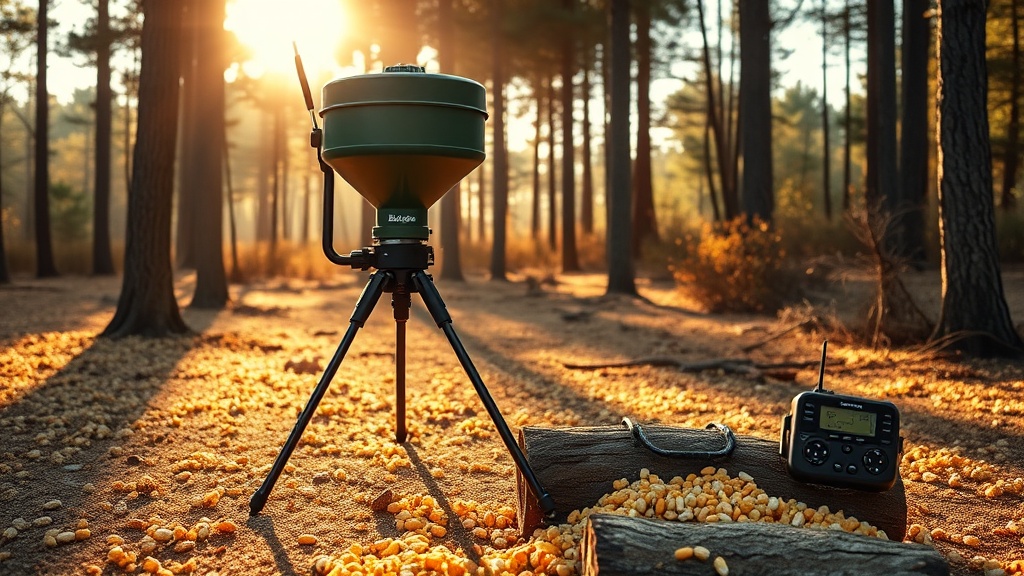
Out of the box, the remote and the feeder control unit must be paired. If you skip this step, the feeder will ignore all timer commands. To sync: Insert fresh AA batteries into the remote and ensure the feeder’s main power switch is on. Press and hold the “SET” button on the back of the feeder motor housing for 3 seconds until the red LED blinks rapidly. Immediately press and hold the “FEED NOW” button on the remote for 1 second. When the LED on the feeder turns solid green, pairing is complete. If pairing fails, repeat the process after moving the remote at least 15 feet away from the feeder to avoid radio interference.
For a deeper breakdown of the on-unit digital timer interface, see our Digital Timer Setup for BuckGuide 300lb Spin-Cast Feeder guide.
How Many Feed Times Can I Program with the Remote?
The BuckGuide 300lb Spin-Cast Feeder remote supports programming up to 4 distinct feed times per day. Each feed time can be set to a specific hour and minute. The timer operates on a 24-hour cycle, so if you program a feed at 6:00 AM and another at 5:00 PM, the feeder will repeat that schedule every day until you change it. Attempting to program more than 4 times will simply overwrite the fourth programmed slot.

If you find that 4 feed times are not enough for your hunting strategy, you can manually trigger a feeding session using the “FEED NOW” button without disrupting your preset schedule.
How Do I Set the Feed Duration (Spin Time) per Feeding Session?
Proper spin time control prevents over-feeding and bait waste. With the remote, you can adjust the run duration in 1-second increments, from 1 second up to 30 seconds. Here is the typical relationship between spin time and corn volume (assuming standard 8-plate spinner assembly):
| Spin Time (Seconds) | Approximate Corn Volume (lbs) | Recommended Use |
|---|---|---|
| 2 | 0.75 – 1 | Light snack for 2-3 deer |
| 5 | 1.5 – 2.5 | Maintenance feeding |
| 8 | 3 – 4 | Attractant feeding (2-5 deer) |
| 12 | 5 – 7 | Heavy draw for larger herds |
| 20 | 9 – 12 | Pre-season high-volume draw |
To set spin time:
1. Press the “MODE” button until “TIME ON” appears on the remote LCD.
2. Use the UP/DOWN buttons to adjust the seconds.
3. Press “SET” to lock the value.
Why Does the Remote Timer Not Hold Its Schedule After Rain or Power Loss?
This is one of the most common frustrations. The BuckGuide 300lb Spin-Cast Feeder remote timer retains programmed times as long as the receiver module has power. However, if the remote itself loses battery power, it will not lose the schedule stored on the feeder unit. But if the feeder’s 12V battery is disconnected or drained, the feeder’s internal clock resets to midnight (12:00 AM) and all programmed feed times will fire at the wrong moment until you reprogram the clock.
To fix this: Simply replace the feeder battery, then resync the remote and reprogram the current time (not the feed times) using the “CLOCK SET” button sequence. Always check the remote control’s battery water seals—corroded contacts are a leading cause of timer resets. Our Remote Control Troubleshooting for BuckGuide 300lb Spin-Cast Feeder article covers moisture damage solutions in depth.
Can I Set Different Feed Times for Weekdays vs Weekends?
No, the standard remote timer does not have day-of-week programming. All four feed times repeat identically every day. If you need a split schedule for scouting versus hunting days, you have two options: manually adjust feed times each morning using the remote, or convert the feeder to a gravity feed system that releases corn continuously. Visit our guide on How to Convert Your BuckGuide 300lb Spin-Cast Feeder to a Gravity Feed System for a step-by-step hardware mod.

That gravity conversion can also be accomplished with a different kit—see How to Convert Your BuckGuide 300lb Spin-Cast Feeder to a Gravity Feed System for a specialized adapter.
How Do I Clear or Reset All Timer Programs?
Accidentally programming the wrong times can cause corn waste. To perform a full factory reset of the timer on the BuckGuide 300lb Spin-Cast Feeder:
1. Remove batteries from the remote.
2. Disconnect the 12V battery from the feeder motor unit.
3. Wait 30 seconds.
4. Reconnect the 12V battery.
5. Insert fresh batteries into the remote.
6. Re-sync the remote with the feeder (as described in section 1).
This clears all programmed feed times, date/time, and spin duration back to factory defaults. All four feed slots will be blank.
If you only want to clear a single feed time without losing the others: Press “MODE” until the specific feed time (F1, F2, F3, or F4) appears, then press and hold the “MINUS” button for 5 seconds. The display will show “–:–” indicating that slot is cleared.
What Owners Say
Real-world users on the forums consistently praise the remote’s range and battery life. “I programmed four feed times in about 4 minutes after reading the manual,” says John T. from Alabama. “The spin-time table is accurate—5 seconds gave me just under 2 pounds.” Another owner mentions that the remote’s LCD is easy to read even in low light, though some wish the backlight stayed on longer. Negative feedback almost always involves battery compartment corrosion. “If you leave the remote in a damp pack, the contacts will green up fast,” warns Sarah L. from Missouri. Many owners solve this by wrapping the remote in a sealed plastic bag with a silica gel pack.
One modder reports that the BuckGuide 300lb Spin-Cast Feeder is relatively easy to squirrel-proof. Check the How to Make Your BuckGuide 300lb Spin-Cast Feeder Squirrel-Proof mod if those pesky critters are draining your corn.
Frequently Asked Questions
Q: How long do the remote batteries last?
A: With normal use (programming once daily and checking status), AA alkaline batteries last approximately 8–10 months. Use lithium AA batteries for longer life in cold climates.
Q: Will the timer work if I power the feeder from a solar panel kit?
A: Yes, as long as the solar system maintains a clean 12V DC supply (5–20V range). The timer will still retain its memory during low-sun hours if the battery bank holds charge.
Q: Can I program feed times from inside my house 100 yards away?
A: Probably not. The remote’s maximum range is advertised at 100 feet (30 meters) in open air. Walls, trees, and metal interfere significantly. Walk within 50 feet for reliable programming.
Q: I programmed feed times, but the feeder didn’t go off. What’s wrong?
A: Two common causes: The feeder clock time may be wrong (AM/PM confusion), or the spin duration was set to 0 seconds. Also verify the remote sync (LED status).
Q: Does the remote work with the BuckGuide 500lb model?
A: No, the remote is model-specific. The 500lb uses a different radio frequency and will not pair with the 300lb remote.
Q: Where can I buy replacement remote units?
A: Replacement remotes are available through BuckGuide’s official website for £34.99 (UK) or $39.99 (US). Some third-party units work, but they often lack the full timer features.